Features
Everything a nursery needs to comply
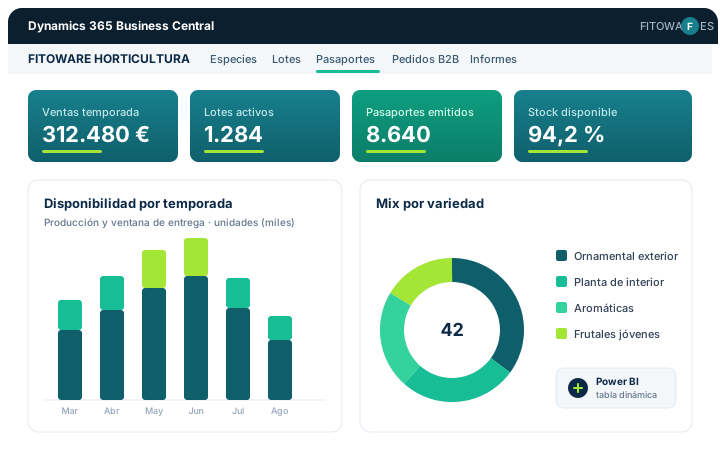
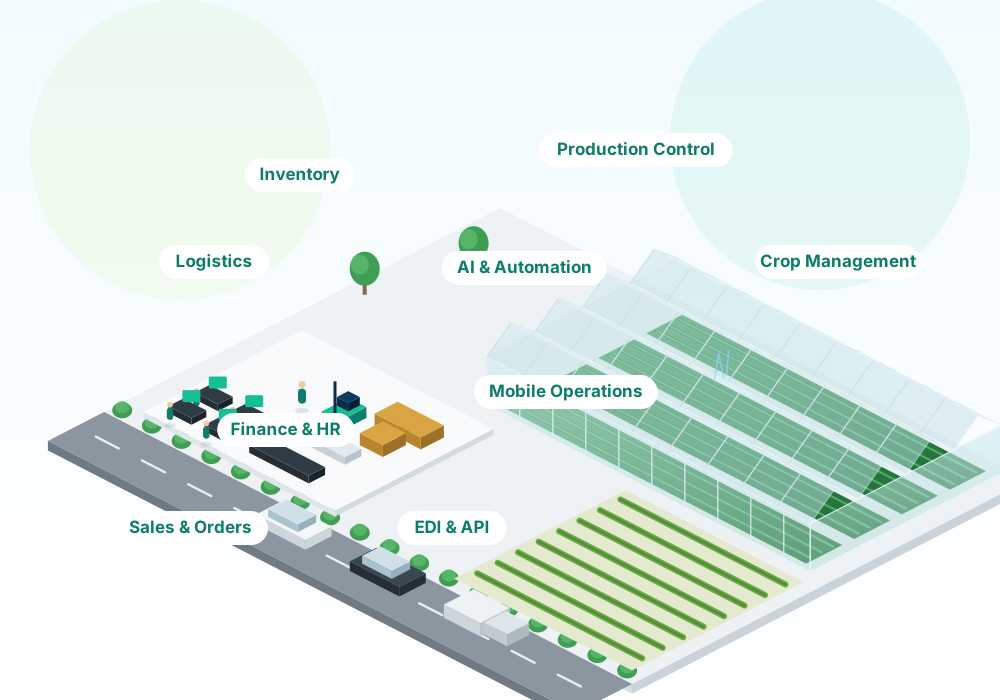
From order to invoice in minutes, and from the species catalogue to the printed label, without leaving your management software.
Key feature
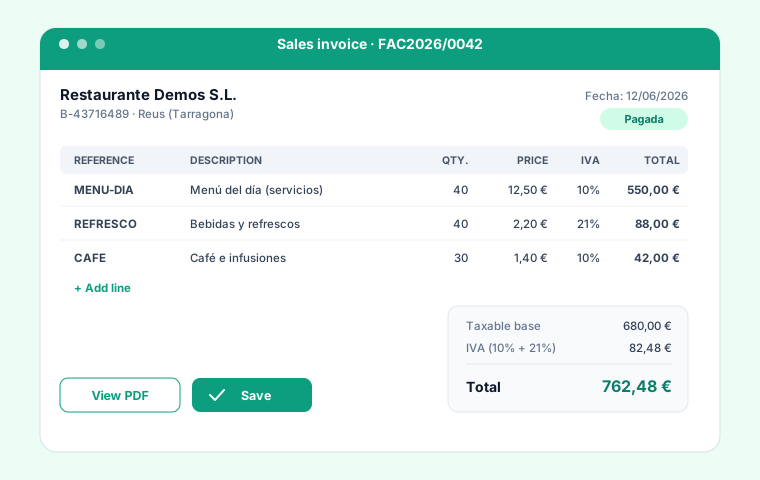
Agile orders, delivery notes and invoices
The entire commercial flow is designed to be very fast: create orders, issue delivery notes and invoice in a few clicks, with no rework or unnecessary screens.
View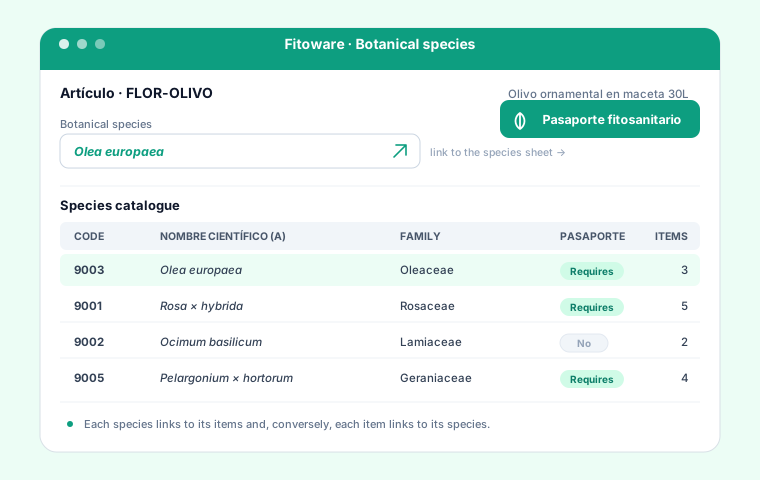
Species catalogue
Botanical name, genus, family and species code. Each species links to one or more items.
View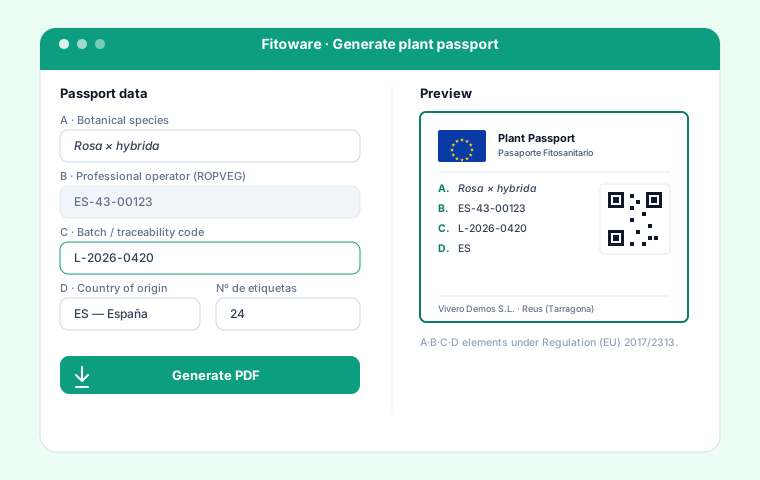
Passport in one click
PDF with the A·B·C·D elements, QR code and the official 2017/2313 format, from the delivery note or item.
View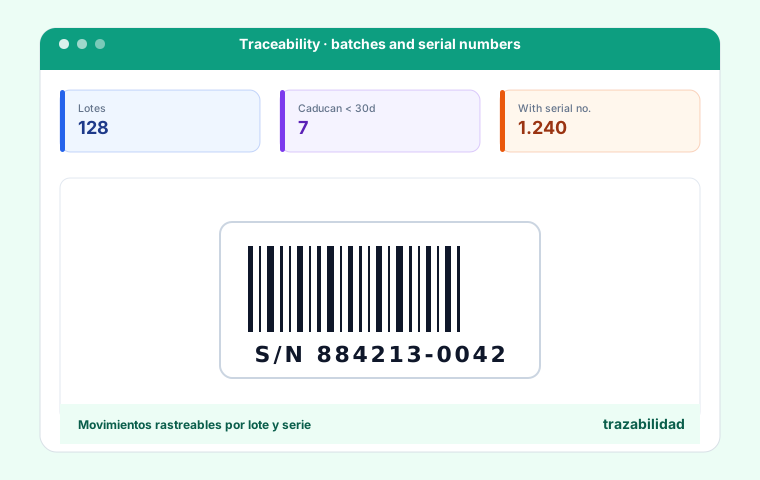
Batch traceability
From the source batch to the final label. Traceability code (element C) on every passport.
View
Labels and EAN-13
Automatic EAN-13 code generation and label printing with barcode and traceability QR code.
View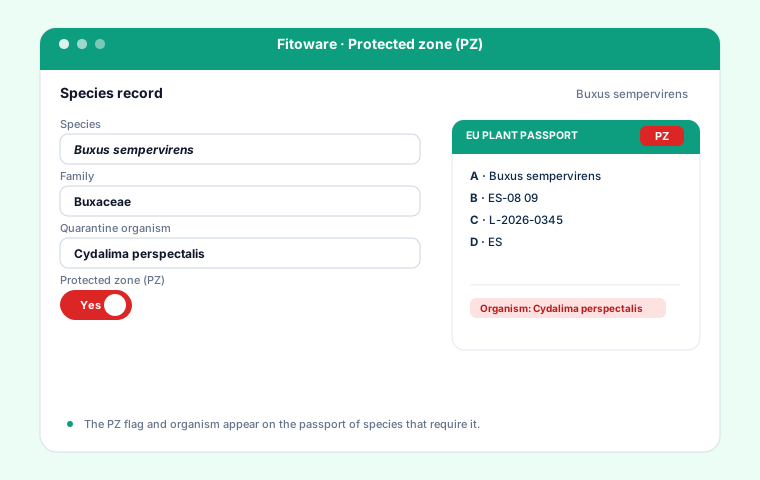
Protected zone (PZ)
PZ indicator and quarantine organism for species that require it in a protected zone.
View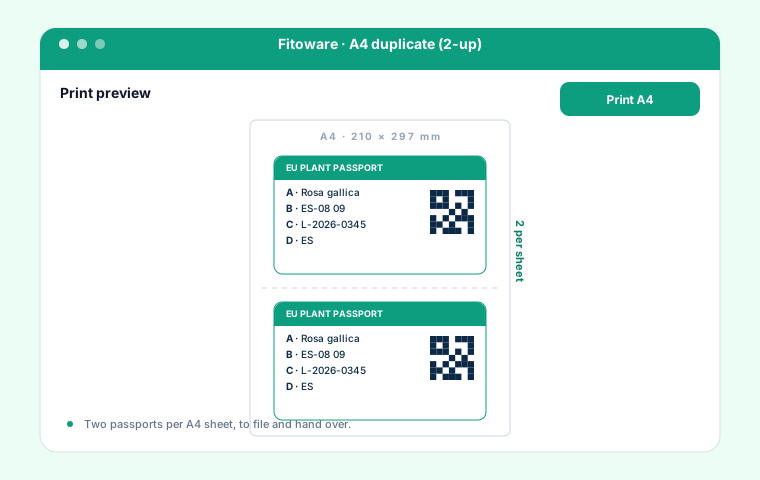
A4 duplicate (2-up)
Print duplicate passports on A4, two per sheet, to file and hand over.
ViewSpecies catalogue
Botanical name, genus, family and species code. Each species links to one or more items.
- Botanical name
- Protected zone (PZ)
- Country of origin
Passport in one click
PDF with the A·B·C·D elements, QR code and the official 2017/2313 format, from the delivery note or item.
- A · Botanical name
- B · Operator (ROPVEG)
- C · Batch traceability
- D · Country of origin
Batch traceability
From the source batch to the final label. Traceability code (element C) on every passport.
- C · Batch traceability
- Labels and EAN-13
- A4 duplicate (2-up)
Everything included
From the botanical catalogue to the printed label
Every detail of the European Plant Passport, covered out of the box.
We grow software for the green sector
Made by and for nurseries
Fitoware comes from real work with nurseries and ornamental-plant growers. It is not a generic passport add-on: it is built from day one for the green sector, with botanical vocabulary, a nursery's workflows and phytosanitary regulation at its core.
Real botanical vocabulary
Genus, species, family, common name and code — no forced generic fields.
A nursery's workflow
From adding the species to the sale and the label, with no artificial steps.
Regulation always up to date
Official 2017/2313 format and the four passport elements, maintained by us.
How it works
From adding the species to the label in three steps
Add the species
Enter the botanical name and mark it as "requires passport". It links to the item.
Sell or prepare the delivery note
You work as usual. Fitoware detects the items that need a passport.
Print the passport
Generate the PDF with A·B·C·D and QR, or the barcode label, ready to stick on.